Setup environment
Unless you want to infect yourself, we've set up a little VM for you to try out the rootkit.
The victim VM is an Ubuntu 20.04 VM that uses kernel 5.4.0. You can launch it by downloading this this tar archive
Installation
- Decompress the tar ball using the following command:
tar -xvf vm.tar cd vm
Launching the VM
You can launch the VM using the following command: ./launch.sh in the VM folder. A window will open with the VM.
-
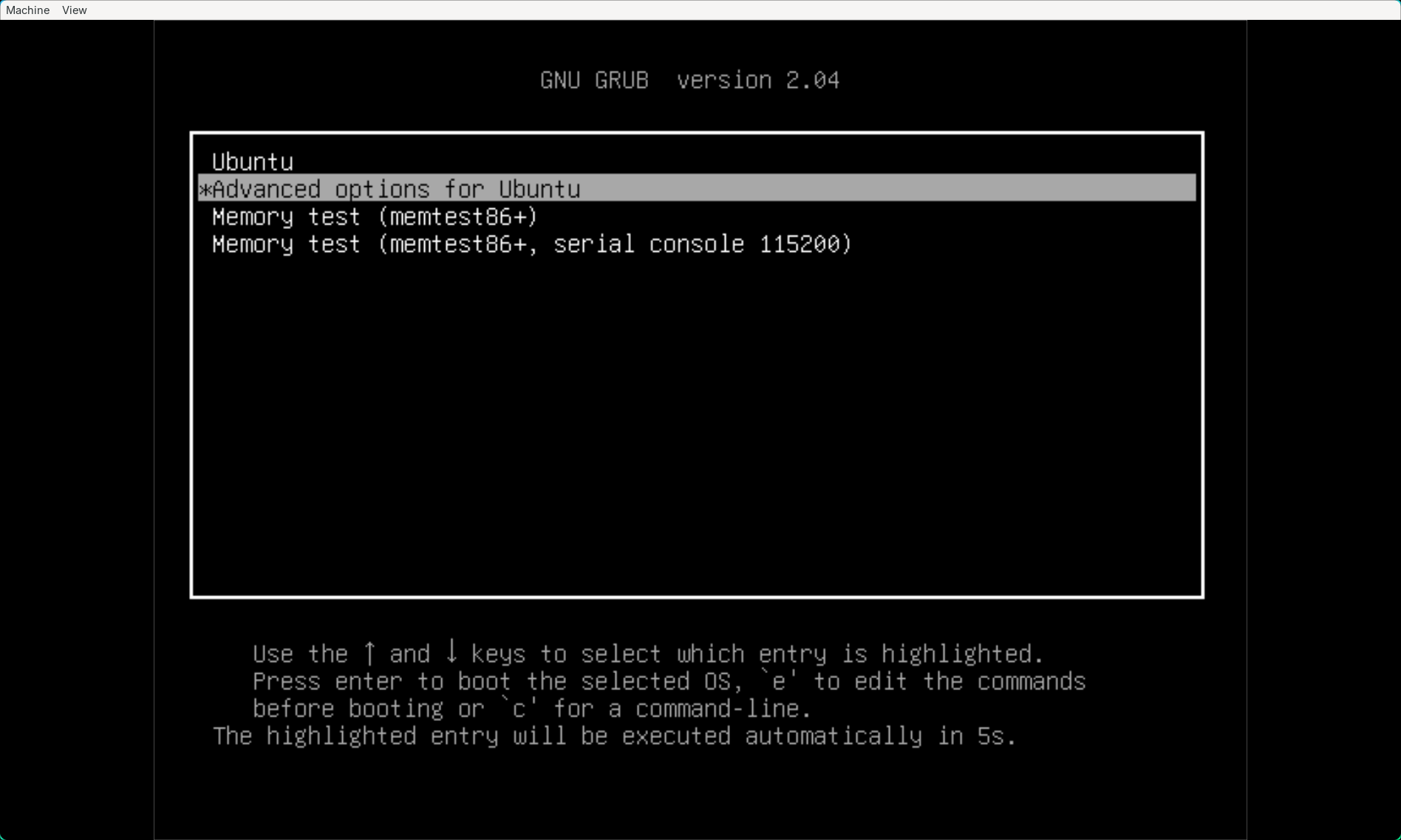
In the GRUB menu, press "Advanced options for Ubuntu"
-
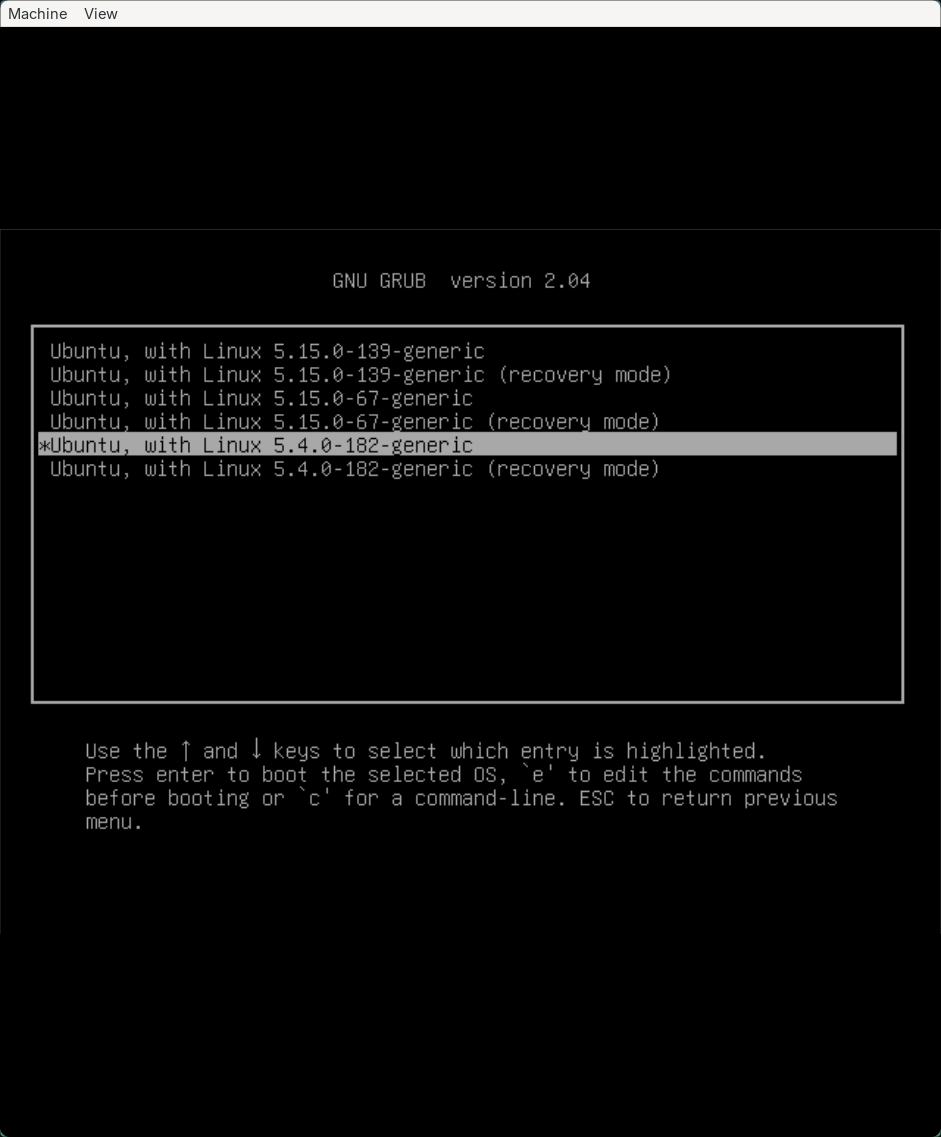
Then press "Ubuntu, with Linux 5.4.0-182-generic"
-
You should then arrive at the Ubuntu login window. The username is
user(or louis) and the password ispass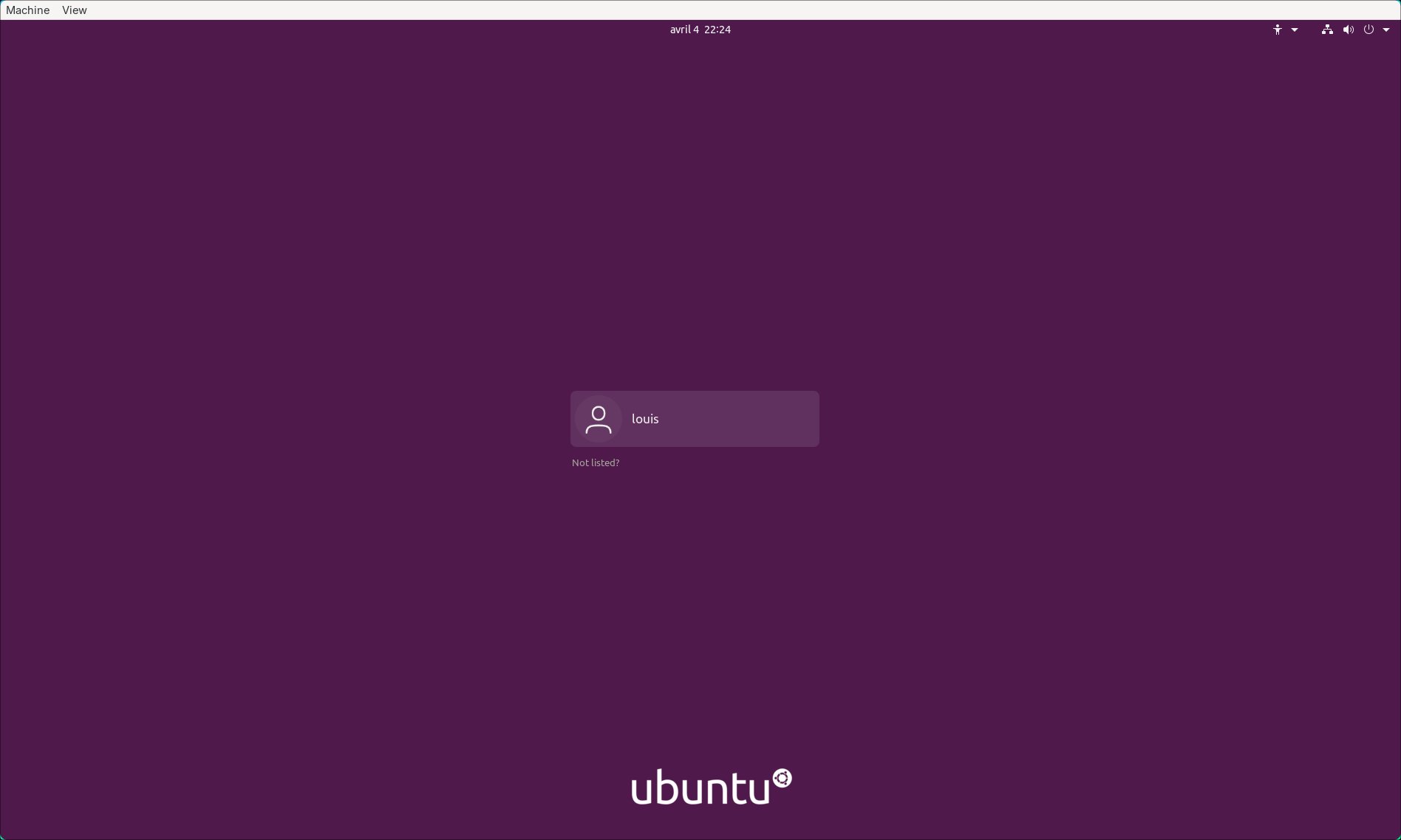
Usage
SSH
An SSH key is already installed on the machine. Here is the public key
ssh-ed25519 AAAAC3NzaC1lZDI1NTE5AAAAINyWx1KM37+UaOK7BqATBYnva0dFzUuL1S8uXUWsDahZ target machine
The public key is configured to have read-only access to the epirootkit repository (possibility to clone but not to push).
epirootkit
An epirootkit folder is present on the desktop with the repo already configured. It is possible to do a git pull on it to retrieve the latest changes.